Before you start
Keep the current-year Trial Balance, comparative figures, year-end inventory and supporting workings ready. Use a demo or masked client for your first practice run. Decide whether the entity is a company or a non-corporate entity; this determines the presentation and available workings.
Create the client and financial period
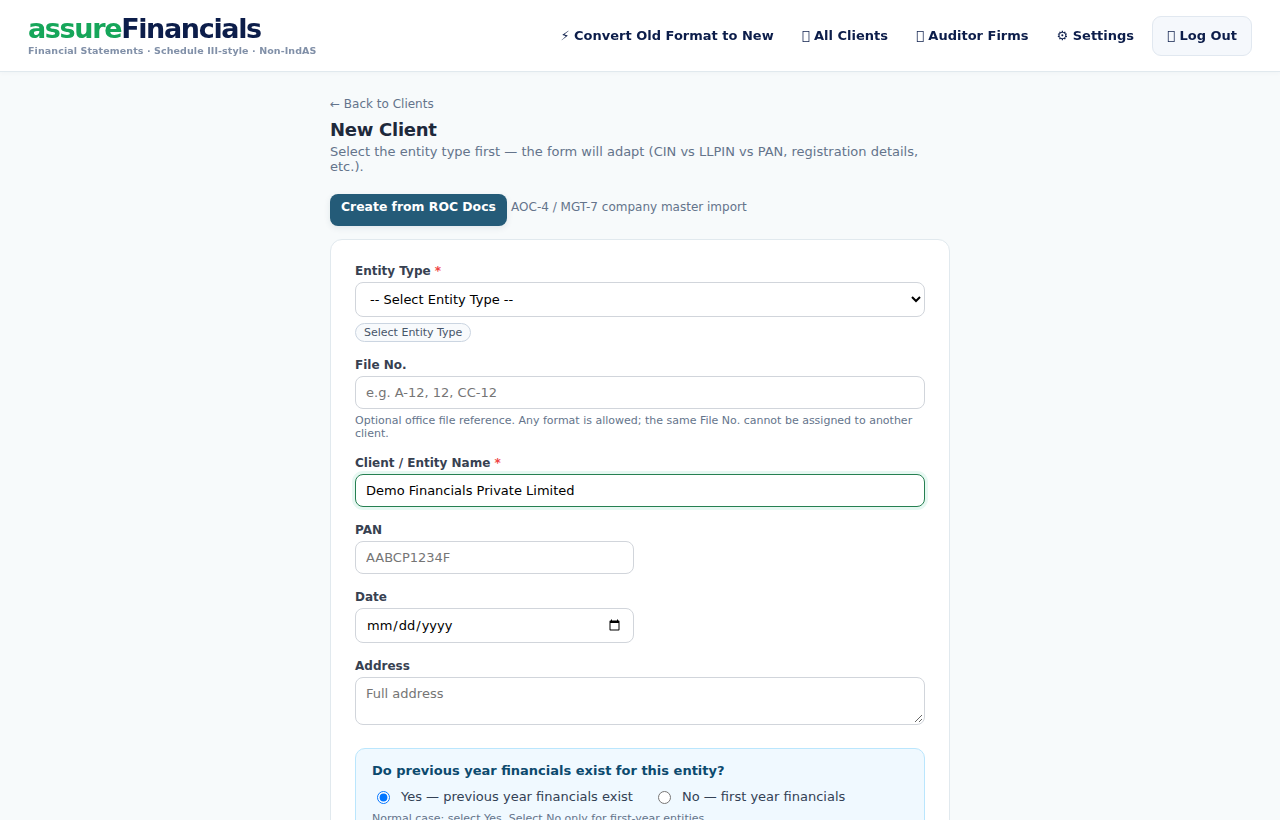
- Sign in and select Create Financials to open the client list. Choose New Client.
- Select Entity Type, enter the entity name and available identity details, then choose whether previous-year financials exist.
- Select Create Client. Open the client and check the financial period dates before importing.
- For another financial period, use the financial-period controls. Copy PY from a saved financial only after checking the source client and period.
Choose the source you already have
Use Import Centre for an existing client. Choose Trial Balance for a supported Excel TB, Tally for connector/file imports, or Financial Statements for an existing financials workbook. Use Convert Old Format to New if you want to begin with the public conversion workflow.
Review points
- A Trial Balance is not a complete set of disclosures. Collect supporting details for ageing, PPE, capital and entity-specific notes.
Review before downloading
- Check unmapped ledgers and the proposed groupings; confirm CY/PY dates and balances.
- Review closing stock, capital or reserves, PPE/depreciation and supporting disclosures.
- Open Financials and use Alerts and Source & Reco to investigate differences.
- Set units, decimals, address and signing details. Download PDF/Excel and check the generated file.
Review points
- A BS Match status is one arithmetic check. It does not confirm all classifications, disclosures or source workings are correct.
Continue with a related guide
- Connect Tally directly
- Import Tally files without a connector
- Convert old Excel financials to the new format
- Import CY/PY and refresh an existing year
- Review ledger grouping and opposite balances
- Edit notes, capital, PPE and closing stock
- Review alerts, signing details and PDF/Excel downloads
- Use previous-year ITR and supporting-data imports